Open-source intelligence (OSINT) challenges are a fantastic way to sharpen investigative skills. The OhSINT room on TryHackMe is a classic example: starting with a single image, we unravel a trail of digital breadcrumbs across platforms. Let’s dive into the process step by step.
| Tool | Purpose |
|---|---|
| EXIF.tools | Extracting usernames from a file |
| WiGLE | Finding the location by a BSSID |
| Instant Username Search | Finding the user’s social media |
The Image
The challenge begins with an image file. At first glance, it looks ordinary, just the Windows XP wallpaper, but metadata often hides secrets.

If we open the image in EXIF.tools, we can see a username: OWoodflint. This is our first lead.

Tracing the Username
Usernames are often reused across platforms. To check this, we can use instantusername.com. We search for OWoodflint, and we find out there’s a Twitter/X account under that name.
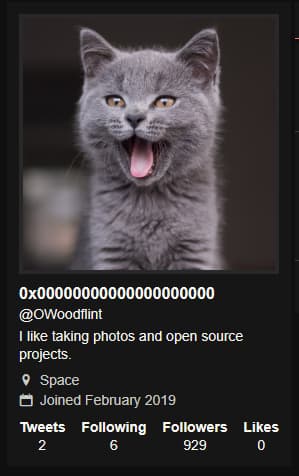
We see that the profile picture is a cat, and the bio mentions an interest in open-source projects.
The Wi-Fi Clue
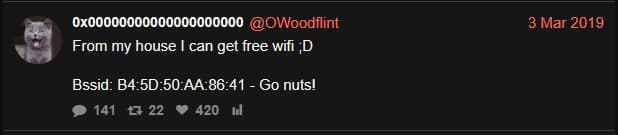
Scrolling through OWoodflint’s posts, one tweet stands out:
From my house I can get free wifi ;D
Bssid: B4:5D:50:AA:86:41 - Go nuts!
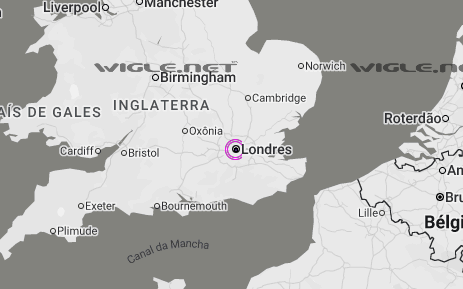
If we search the BSSID on WiGLE, we see that the location resolves to London, with SSID UnileverWiFi.
GitHub Connection
The X bio mentions open source, but no GitHub link is provided. But if we Google the username, we find a repository: OWoodfl1nt/people_finder. Inside, we find both an email address and a link to a WordPress blog.
The Blog
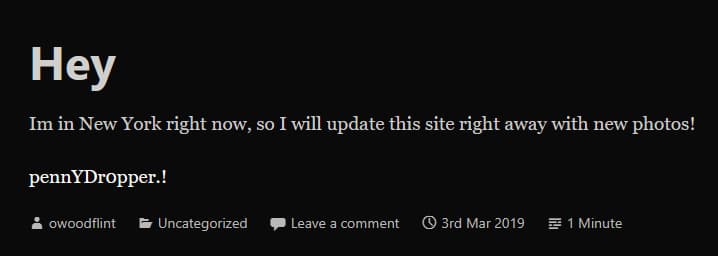
Following the blog link, we uncover more personal details: that the user is in New York, and a password, “pennYDr0pper.!“.